
Weighted progress
Give each item an importance and the overall percentage becomes a weighted average — the things that matter move the needle more.
1–3 · 1–5 · 1–10 scalesTo-dos, habits, goals, limits, time, trends, shopping, links, passwords and notes — ten kinds of list, rolled into a single weighted progress score so you always know, at a glance, how far along you are.
Pick a type per checklist and Track&Act+ measures it the way that type deserves — then folds them all into one weighted score.
A plain checklist. Check items off; progress is done ÷ total.
A to-do list with start & due dates (or none at all), times, reminders and recurrence.
Track progress toward a target — more is better, like 14 of 20 miles.
Stay under a limit — less is better. Success is staying within it.
Every item is timed with a stopwatch, and can carry a budget and hourly rate.
Log a number over time — mileage, spend, weight — and watch the running total and chart build.
Shop to a budget — scan barcodes, track quantities and prices, and watch the running total as you go.
A searchable bank of saved links — named, classified and pictured for you, with the pictures kept for good. Import a whole Keep export.
Sign-ins encrypted with a passphrase only you know. Fills them into Chrome as your autofill service. Imports from LastPass, Zoho Vault, Chrome, Bitwarden and 1Password.
Written notes with markers inside the text, reminders, and a lock for one note or the whole list.
From the weighted checklists list to the Dashboard's streaks and the Boost quote — here's what you'll actually use.
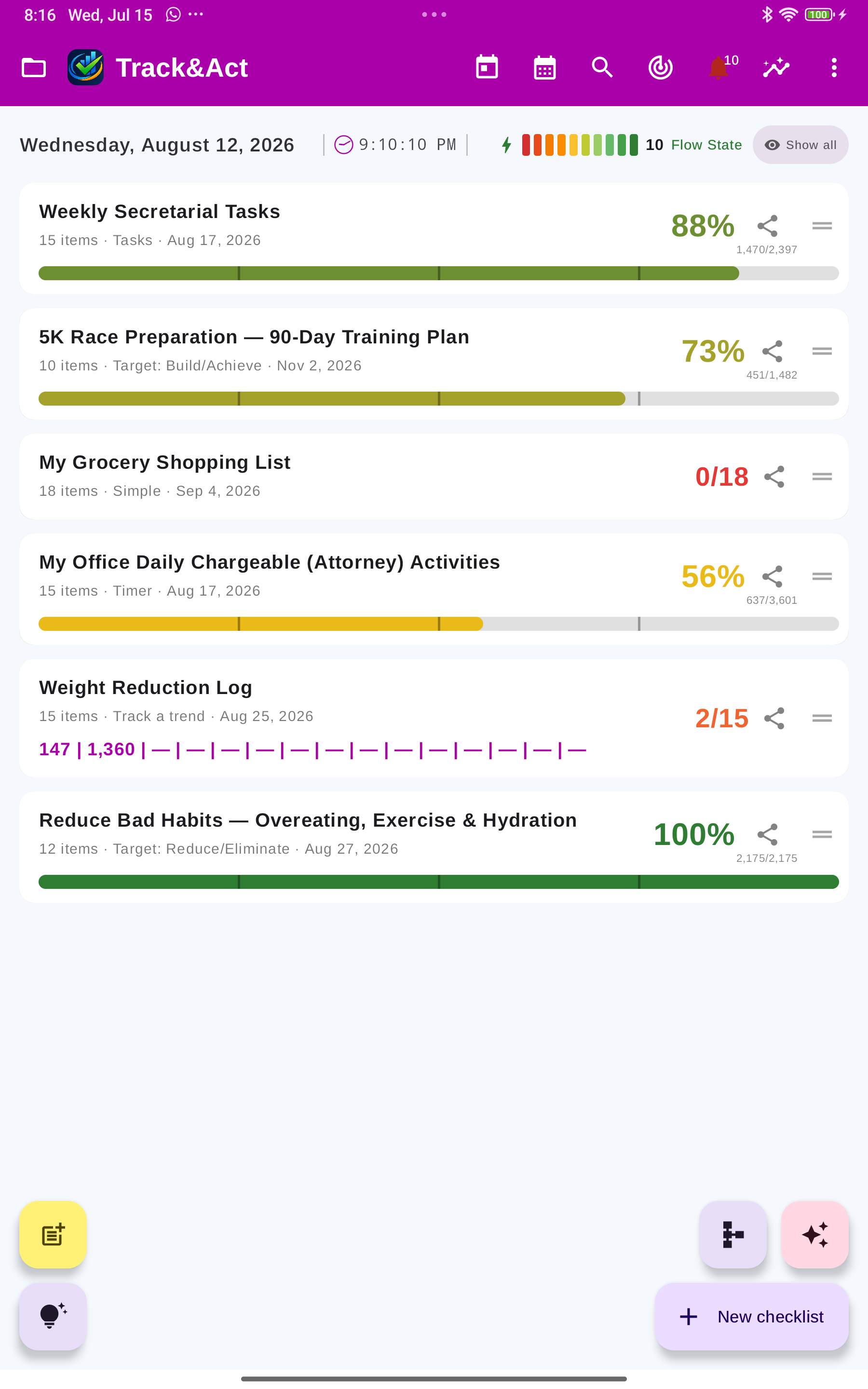
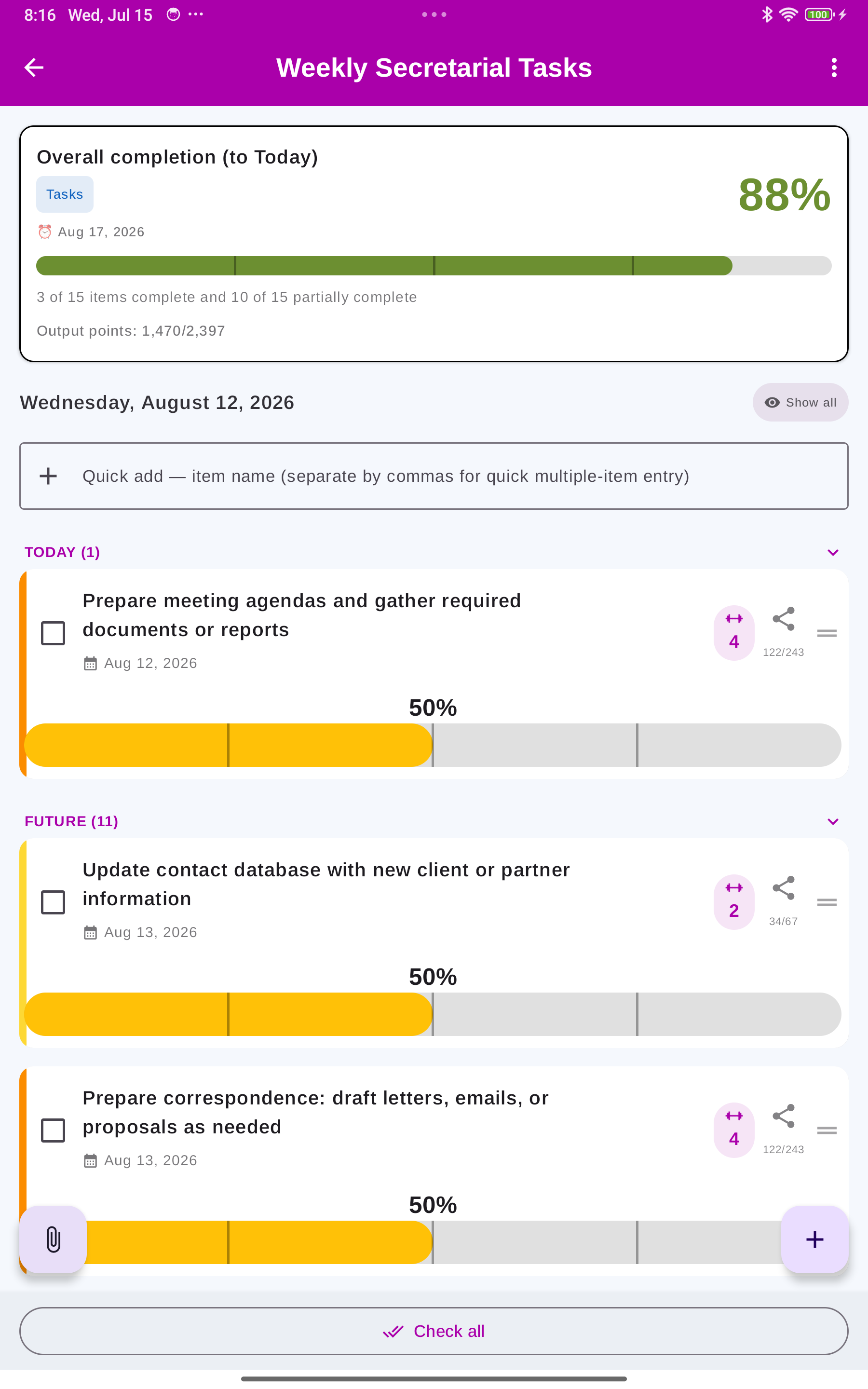
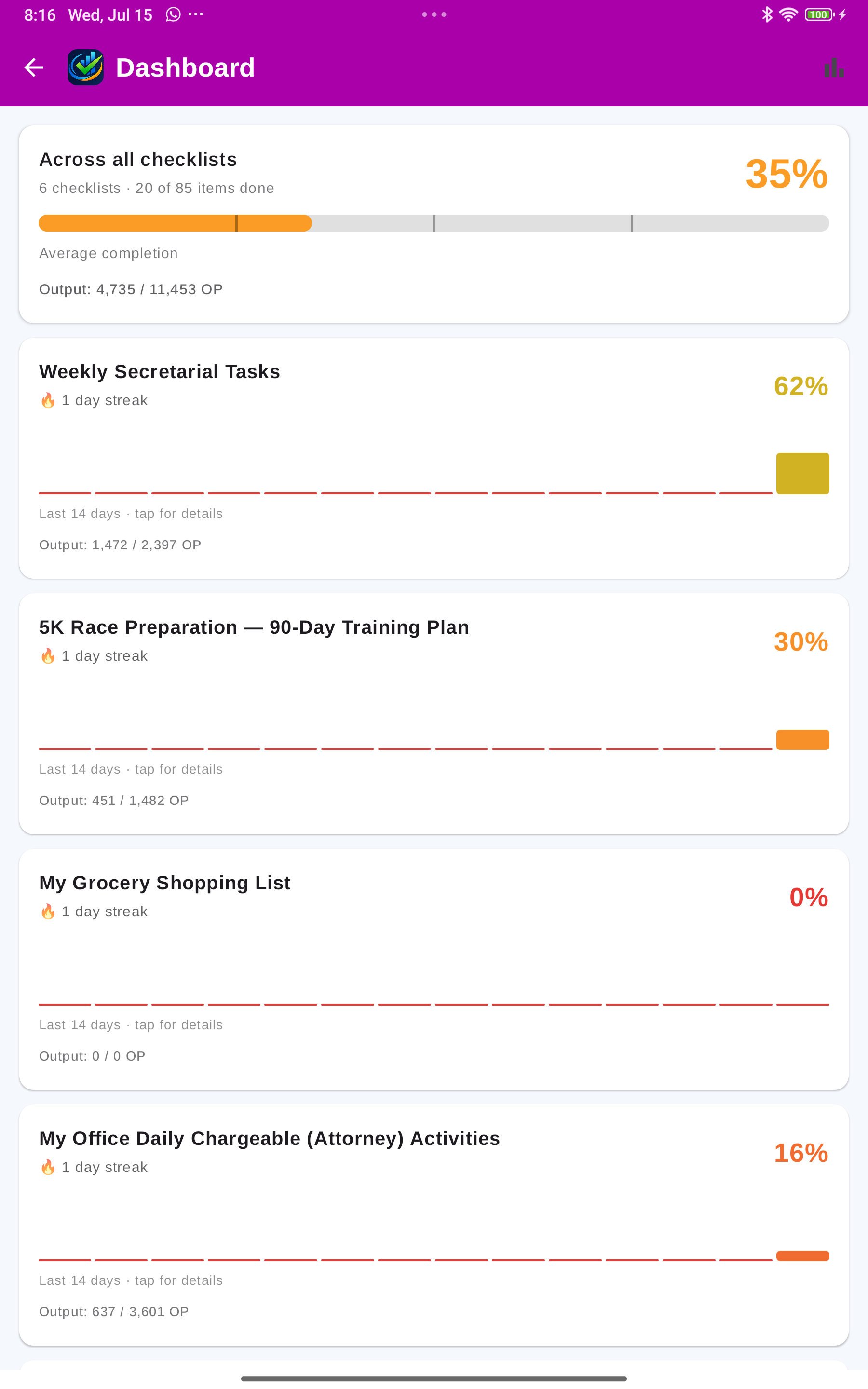
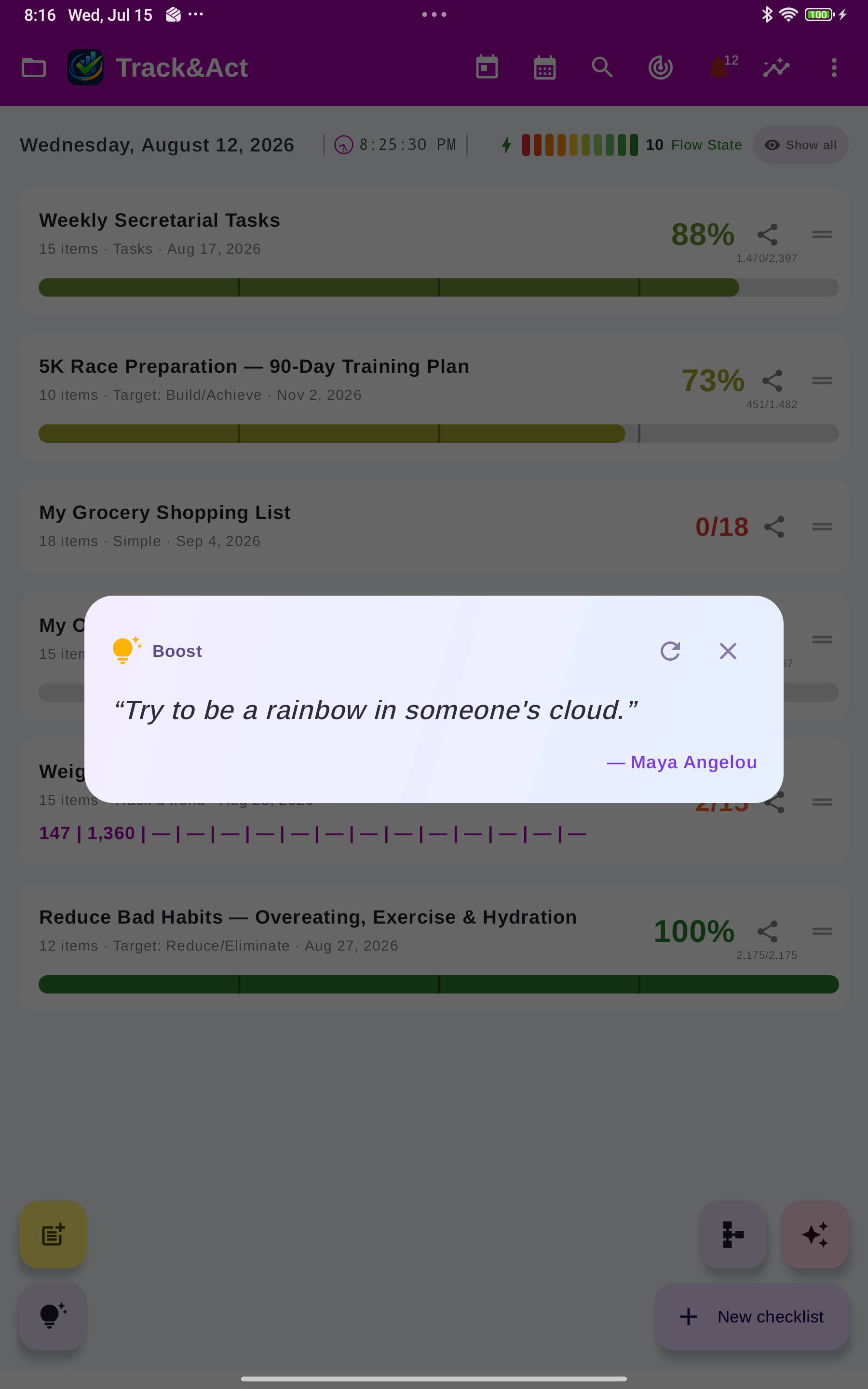
The essentials done well — and the extras that turn a checklist into a system you keep.
Give each item an importance and the overall percentage becomes a weighted average — the things that matter move the needle more.
1–3 · 1–5 · 1–10 scalesStopwatch every task, set a time budget, add an hourly rate, and Track&Act+ tracks a live charge — with a PDF timer report to hand off.
Rate × time = revenueToday's tasks, overall progress, or a single checklist in full detail — each with a theme, opacity and its own tap target.
4 widget typesDescribe what you need, snap a photo, or paste a link (an Amazon or Google listing, an article) — the AI reads their wording, researches them, and returns a ready-made, fully editable checklist, weighted and rated on your scale. The more specific you are — and the clearer the time frame — the tighter the fit. Learn how to prompt it →
AI planShare a link or a screenshot from any app into any list. The AI reads it and names it — “Flight to Rome, 12 Oct, 7:40” — with a category and tags. In a Tasks list a link becomes a real task that carries it. Link pictures are stored with your account, so they don't vanish when a site's expire.
Links & screenshotsAn empty due date (only when the item states or implies one — never invented), an unrated complexity, an importance for what arrives by share. What you entered always stays. Automatic on new items, or on demand from a list's menu, and you can switch it off.
AI planEach item records the day it was created. Search with created:, since: and until:, or sort newest or oldest first. Links imported from Google Keep keep the note's real date.
In links, passwords and notes, tick what you want, then show only the selection on one screen, or delete it in one go — it asks first, and everything waits 30 days in Recently deleted.
View · share · deleteCompleted items move out of your lists on a schedule you choose, into archives you can still read, search and correct — so the list in front of you is only the work that is left.
Weekly to monthlyMultiple lead times, snooze, recurrence, and location reminders that nudge you when you arrive — home, the office, the store.
Time + placePlan the big picture top-down. Tap Auto-assign (AI) and Track&Act+ builds the whole modular chain — Goal → Phase → Project → Checklist → item — nesting each checklist under the project it best fits. Fold any level, or move a checklist to another phase as the plan changes.
Top-down AI planningEvery time you open the app, the “Your day at a glance” snapshot surfaces one of your goals or phases at random — with the days left to its deadline and a short, AI-written line of encouragement. Tap it to jump straight to that goal.
Daily nudgeSign in and your data and settings sync automatically across devices, merging changes made on two at once. Prefer your own cloud? Google Drive & OneDrive too.
Automatic account syncSchedule meetings on the calendar with start/end, location, notes, reminders, recurrence and attachments — and notify a contact in advance by email or SMS.
Notify a contactTrack&Act+ keeps the history so momentum is visible: Today and Calendar views, a Dashboard with streaks and 14-day sparklines, and a GitHub-style habit heatmap for every checklist.
Everything due today and overdue, plus a month/agenda view of your dated tasks — and schedule events & meetings right on the calendar.
Per-checklist completion, current and best streaks, weekly and monthly averages.
A grid of days shaded by how complete each checklist was — streaks and gaps at a glance.
No. Track&Act+ works fully offline with no account — everything stays on your device. You only need to sign in if you want automatic sync across devices or the AI assistant.
Track&Act+ is an Android app. Your data syncs across every Android device you sign in on.
Free is a 30-day trial: up to 10 checklists (one of each of the 10 types, 3 items each), core tracking, and file backups plus Google Drive / OneDrive manual sync. Pro removes the limits and adds automatic sync and full tasks; AI adds the checklist generator. See pricing.
Yes. We don't sell your data or share it with advertisers. It lives on your device and, if you sign in, in your own private account. Location is used only for reminders you set, while-in-use only. Details on the privacy page.
Any time. Export a lossless JSON backup, export checklists to PDF or CSV, or export your dated tasks as an iCalendar (.ics) file.
Build your first checklist in under a minute, and watch everything you're working on roll up into a single score.
Get it on Google PlayAndroid only. Want new features and tips, about once a month?